Work-Hour Tracking &
Invoice Management System
Medical Management — USA
The Challenge
Medical Billing Running on Manual Excel and Weekly Reconciliation
A US-based medical management company needed to track employee work hours against individual patient records and calculate billable amounts per insurance company. The process was done entirely in Excel — staff logged hours manually, a billing coordinator reconciled entries each week, calculated totals per insurance company, then formatted invoices in Word by hand.
The complexity came from the data structure: each patient record could be linked to one of several insurance companies, each with different billing rates. When an employee worked on tasks related to a patient, those hours needed to be allocated to the correct insurance company at the correct rate. Doing this manually across dozens of employees and hundreds of patient records each week was time-consuming and extremely error-prone.
Errors in billable amounts caused disputes with insurance companies and delayed payments. The billing coordinator spent nearly a full working day each week on reconciliation and invoice production — time that should have been spent on higher-value work.
Manual Excel tracking — hours entered per employee, per patient record, with no automation or validation
Calculation errors when aggregating hours across multiple employees and insurance rate tables
Invoice formatting done manually in Word — took 2-3 hours per billing cycle per insurance company
No audit trail — disputes with insurance companies could not be backed with timestamped records
The Old Process
Before: A Weekly Manual Billing Marathon
The Solution
Automated Tracking, Calculation, and Invoice Generation
Akshara Technologies built a centralised work-hour tracking system using SPFx and SharePoint Lists. Employees log their hours directly through a structured entry form that links each time entry to a patient record, a task type, and automatically resolves the associated insurance company and billing rate from a master rate table in SharePoint.
A Power Automate flow runs the billing calculation on a scheduled trigger — aggregating all time entries for the billing period, grouping by insurance company, applying the correct rates, and calculating totals with full precision. No spreadsheet formulas, no manual lookups, no rounding errors.
Once calculations are complete, the flow generates formatted Word invoices using pre-approved Word templates populated with the calculated data via the Word Online connector. Invoices are saved to a SharePoint document library with the insurance company name and billing period in the filename, and delivered by email automatically. Every calculation and invoice generation event is timestamped and logged in SharePoint for dispute resolution.
What Was Delivered
Measured Outcomes
8 Hours Back Every Week, Zero Errors
Project Screenshots
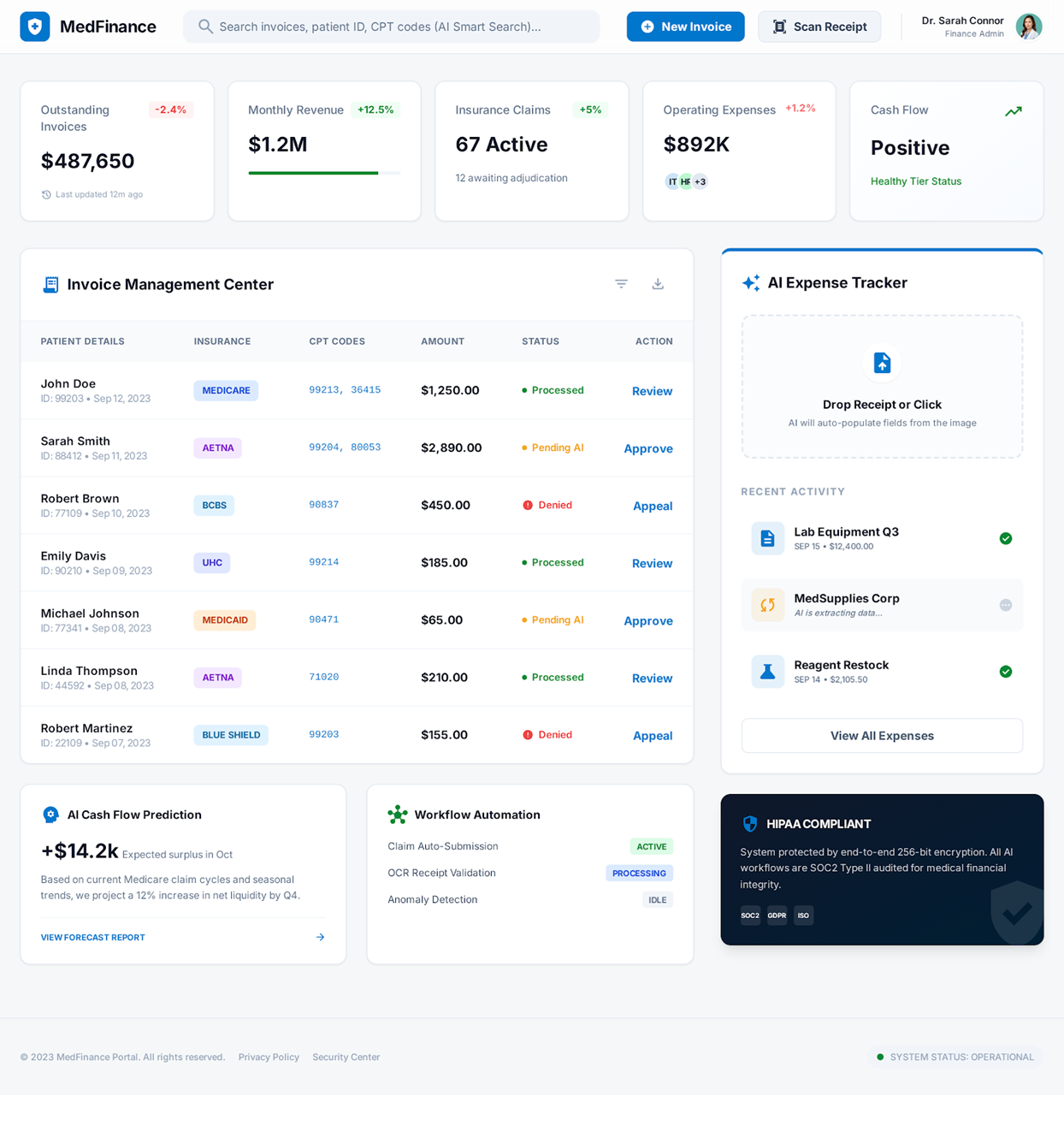
The Invoice Management System in Action
Technology Stack
Tools & Technologies Used
Start Your Project
Ready to Automate
Your Billing Workflows?
From work-hour tracking to automated invoice generation — we build finance and billing automation on Microsoft 365 that eliminates manual effort and removes calculation risk.