Real Estate Lead Management
& CRM Portal
Vincitore Realty — Dubai, UAE
The Challenge
40+ Agents Tracking Leads in Excel, Missing Deals Daily
Vincitore Realty operates in Dubai's competitive real estate market with over 40 sales agents handling hundreds of inbound leads monthly. The entire lead management process ran on Excel spreadsheets — agents maintained their own files, management had no consolidated view, and follow-up reminders depended entirely on each agent's memory and personal calendar.
The consequences were significant: leads went cold due to missed follow-ups, management had no visibility into pipeline health until the monthly review meeting, agents had no systematic way to track which stage a lead was at, and three separate Excel files had to be reconciled every month to produce a consolidated pipeline report.
In a market where speed and follow-up discipline directly determine conversion rates, a systematic, automated CRM was essential — but a traditional SaaS CRM would require significant training, licence costs, and would take agents outside the Microsoft 365 environment they already worked in.
40+ agents maintaining separate Excel spreadsheets — no single view of total pipeline
Follow-up timing depended on individual agent memory — leads regularly went cold without contact
Management had no real-time pipeline visibility — monthly report required 3 Excel files to be manually consolidated
No role-based access — agents could see each other's leads, causing assignment confusion and duplicate contact
CRM Pipeline Stages Built
The Solution
A SharePoint-Native CRM Built for Real Estate Speed
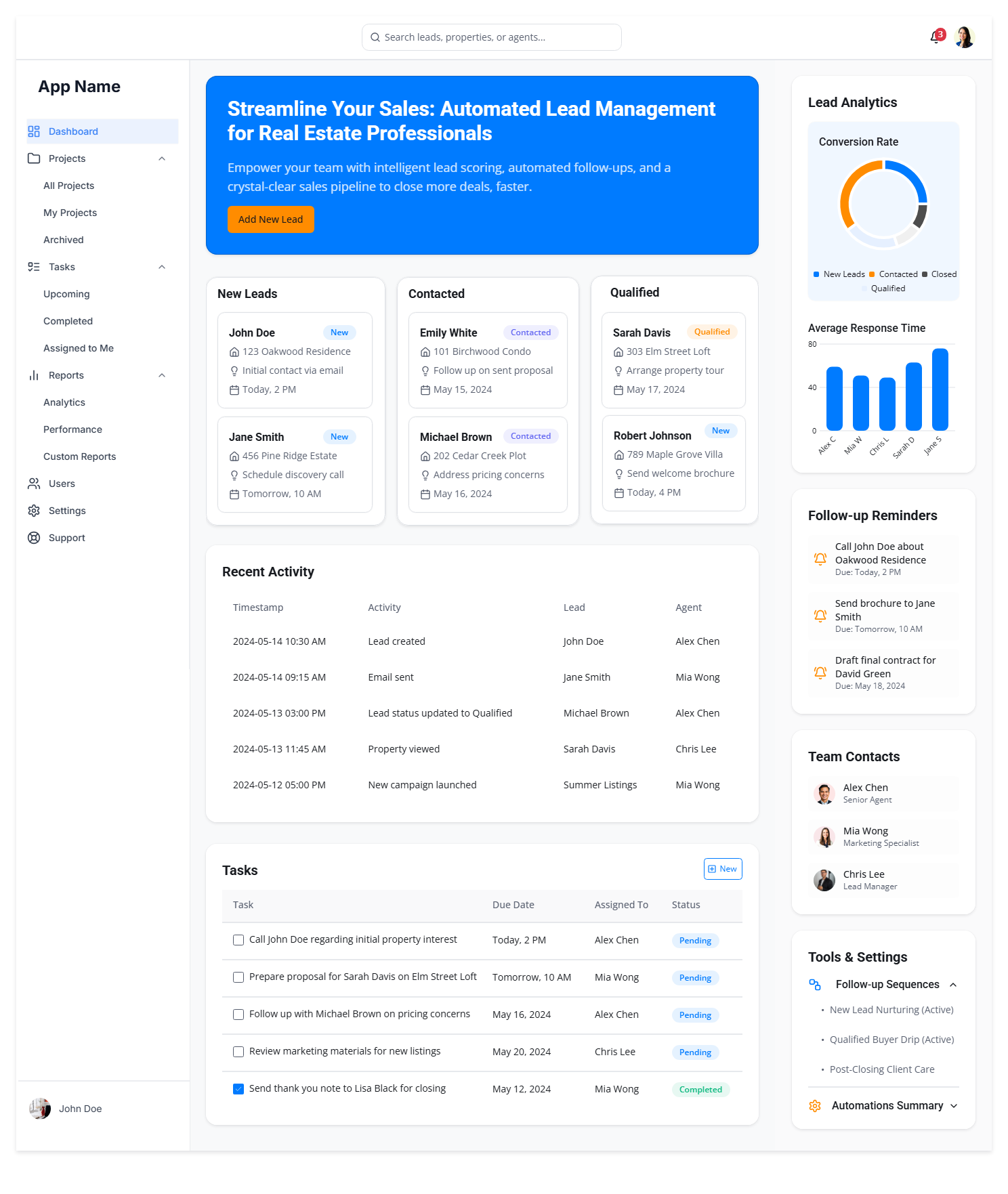
Akshara Technologies built a custom SharePoint-based CRM tailored to Vincitore's real estate workflows. The centrepiece is a custom SPFx kanban pipeline board — a visual drag-and-drop style view where each lead card shows key details: lead name, property interest, source, assigned agent, and days since last contact. Agents move leads between stages with a single click, and the stage change is recorded with timestamp and agent ID.
Power Automate drives the follow-up discipline. Three automated reminder flows fire at 24 hours, 3 days, and 7 days after a lead is created or last updated — alerting the assigned agent via Teams message and email. If a lead sits in the same stage for 14 days without an update, the agent's manager gets a notification automatically.
Role-based access enforces data separation: agents see only their assigned leads in the pipeline board, while managers see the full pipeline with team analytics — conversion rate by agent, by property type, by lead source, and by stage. All powered by Chart.js visualisations refreshed from SharePoint Lists in real-time.
What Was Delivered
Measured Outcomes
25% More Deals Closed in the First Quarter
Project Screenshots
The CRM Pipeline in Action
Technology Stack
Tools & Technologies Used
Start Your Project
Build a CRM That Fits
Your Microsoft 365 Environment
No additional SaaS licences. No context switching. A custom SharePoint CRM that your sales team will actually use — because it lives where they already work.